ClinVar, NCBI’s database of clinically relevant gene variations, has continued to grow since my earlier post, so I thought I would revisit the subject and show you some of the features that it has. To get started, visit the ClinVar page here, and enter your search term in the text box at the top of the page. You can search by gene symbol (i.e. “KRAS[Symbol]” if you want to see all variations associated with a particular gene, or by disease name if you want to see all gene variations associated with a particular disease ).
In this first screenshot you can see the results achieved when searching by disease. Here we see all of the known gene variations associated with pancreatic cancer. In the central table we can see a list of all gene variations, a phenotype, clinical significance, review status, the chromosome, and the location of the variation.

To the left of the search results table, you’ll find a list of filters that you can use to narrow your search. In this example, we might want to focus only on those that are known to be pathogenic, and that have multiple submitters.
If you click on one of the “See details” links, you’ll see an in-depth report about the variation. The following link will take you to a page with information about how to interpret the results.
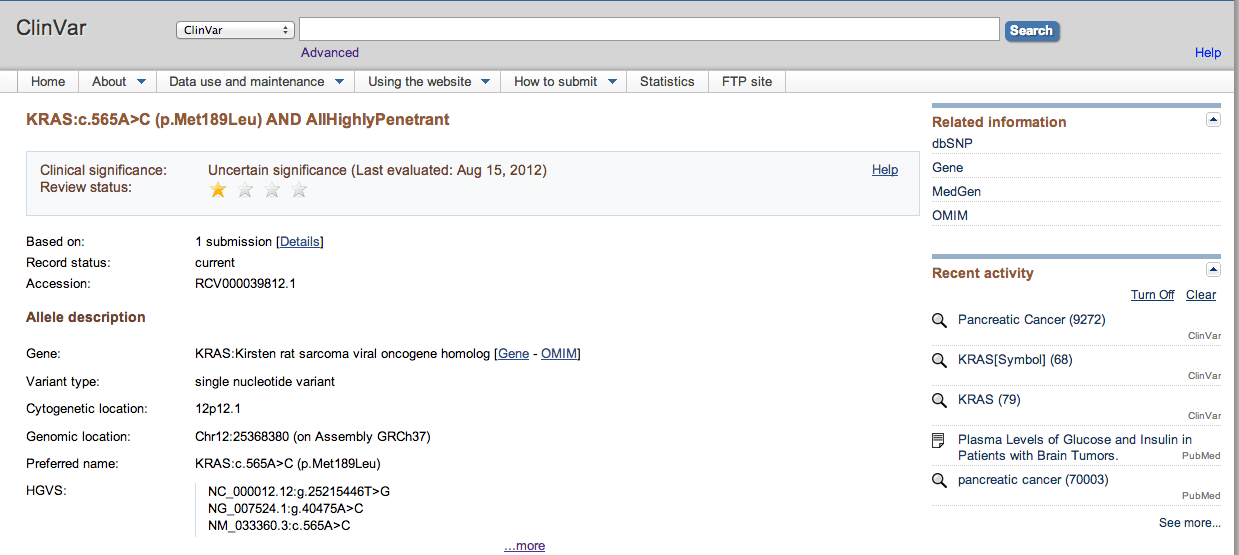
At a glance though, the rating system at the top gives you an idea of how well-validated the variation is. For example, a variant might have only one submitter (which would merit a single star) or it might have been reviewed by an expert group (which would merit 5 stars).
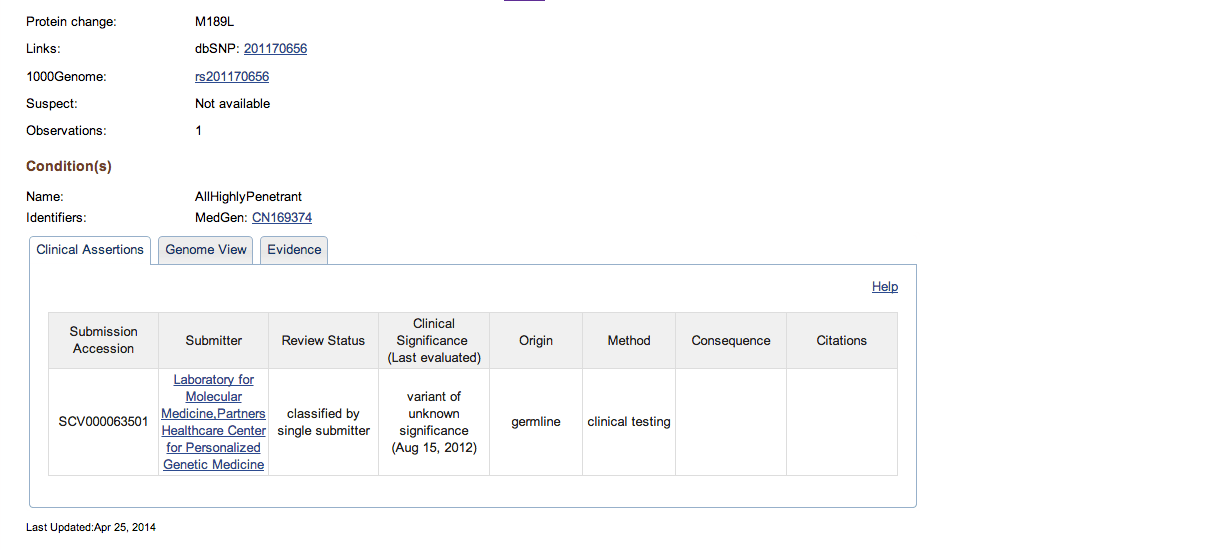
The Allele description section of the report provides you with information on the gene name (complete with handy links to the Entrez Gene and OMIM records). It also includes information on the variant type, location of the cytogenetic, and genomic locations, the preferred name of the variation. The section also includes references to the Human Genome Variation Society’s database, the protein change, links to dbSNP, and 1000Genome.
The Conditions section describes the pathogenic condition created by the variation, and provides a link to MedGen which gives you more detail about the condition.
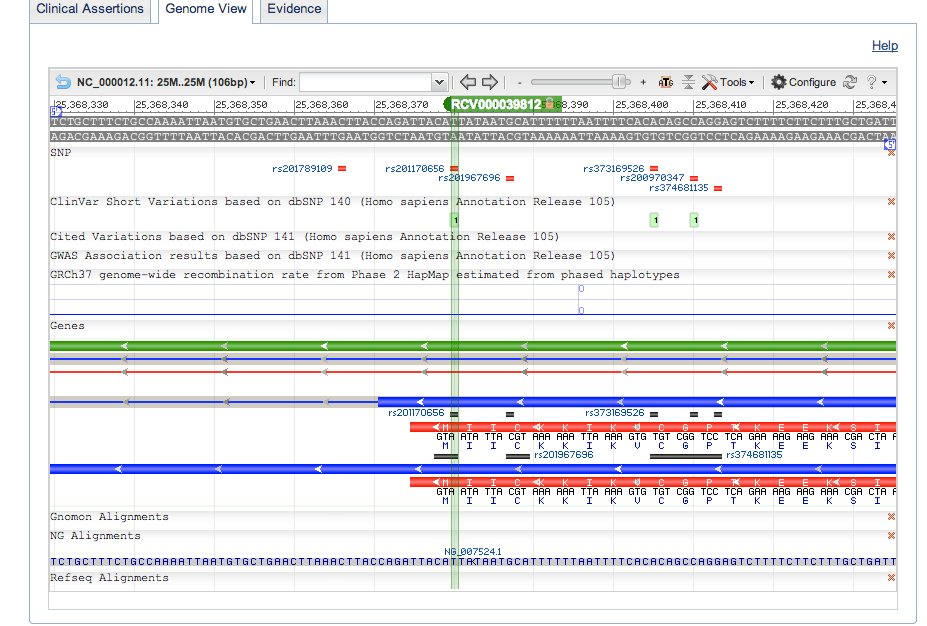
Below this are three tabs: Clinical Assertions, which provides you with information on the assertions made about this variant; the Genome View, which shows the genomic context of the variation; and the Evidence tab which provides information about the evidence backing up the assertions. The Clinical Assertions tab includes a link to the submitter’s record, which can give you an idea of the submitter’s previous submissions.
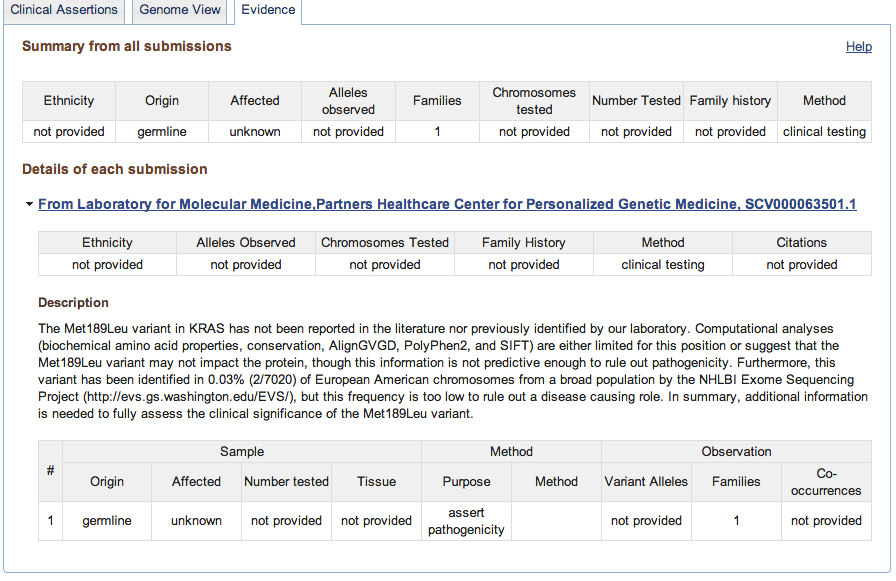
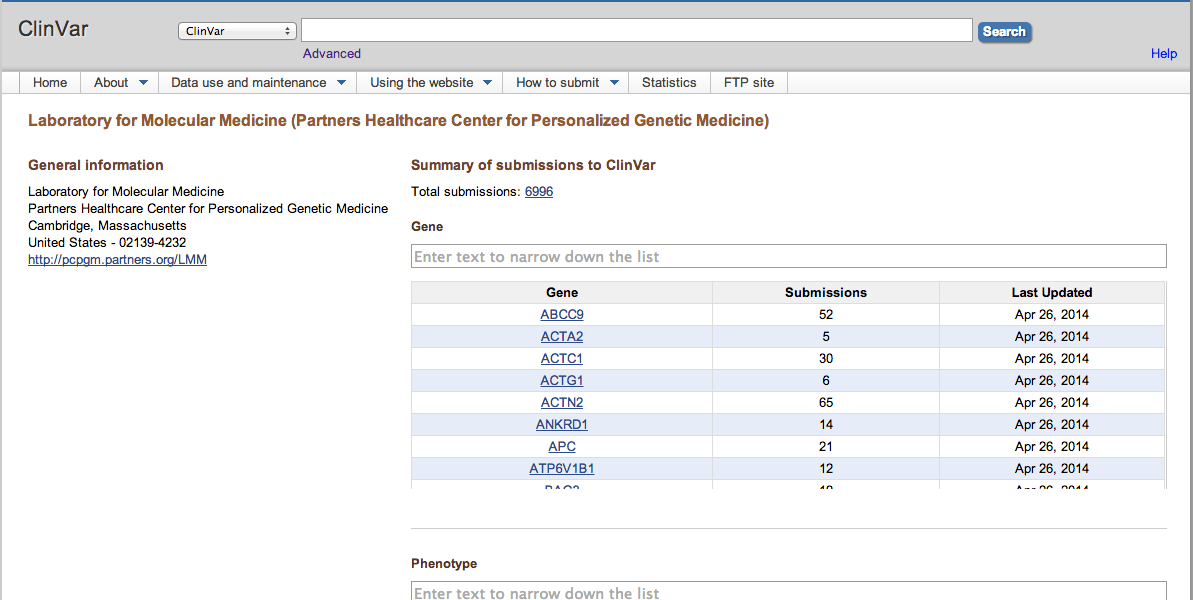
Now that we’ve see the results for a disease centric search, let’s take a look at a gene-centric search. As you can see the types of data returned are much the same.
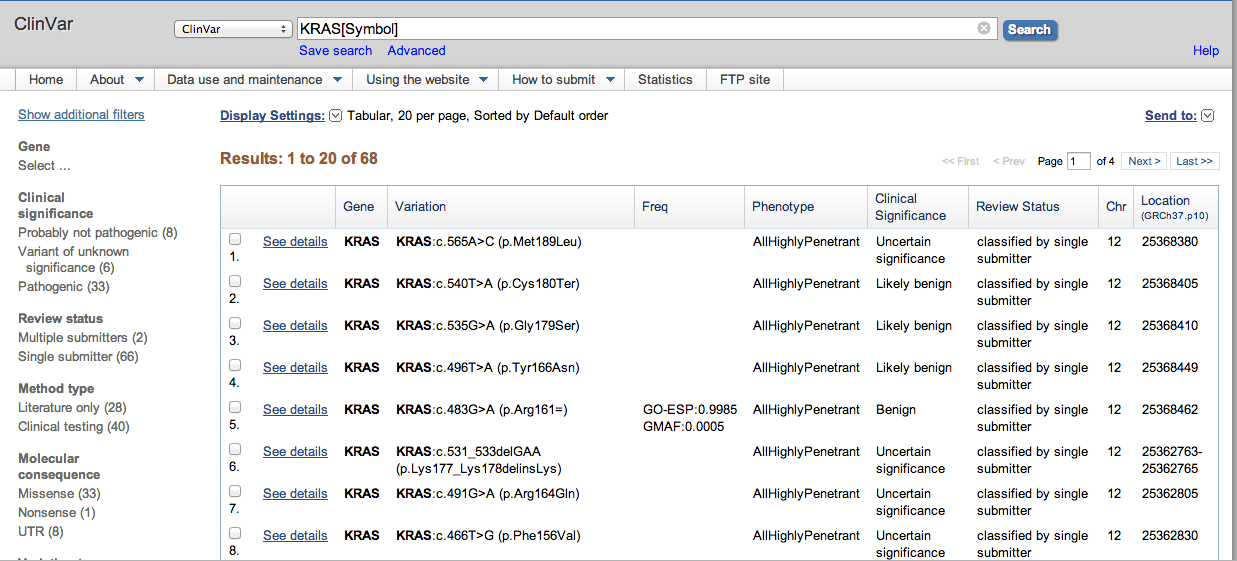
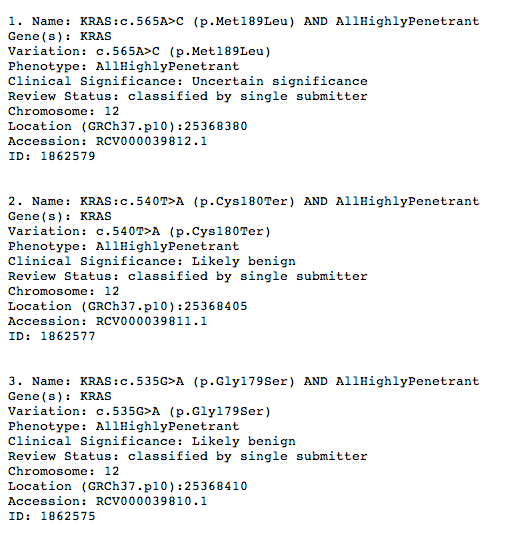
One thing to note, the Display Settings link at the top of the Results table, has some useful features that you might want to take note of. You can display the results in a Summary format (as shown below), or as a list of UI (universal IDs) that can be used for your own data mining activities. Also, the Send to menu (at the far right of the screen) can help you save selected results to your own collection. So if for example, you wanted to create your own list of variations that for further study, you simply select those results, and select the Collections, File, or Clipboard item.